Thursday, July 12, 2007

Do Google's Sponsored Links Constitute "Misleading and Deceptive Conduct"?

Australia's competition regulator, the Australian Competition and Consumer Commission (ACCC), is taking legal action against Google alleging that they do not adequately distinguish between sponsored and organic search results.

Their case is based on the practise of companies purchasing AdWords for their competitors, in this case '
The Trading Post' purchased sponsored results for two car dealerships in Sydney. The ACCC is also taking action against the Trading Post.

It's an interesting situation, and one that has has
come up in the past, with the legalities and merits questioned and discussed at length in the SEO world. While Google has faced legal action in relation to trademark infringement in AdWords advertising in the past, the ACCC claims this is the first ever action looking at the practice from a trade practices perspective. I believe this may also be the first time that 'sponsored links' (as opposed to sidebar ads) have been the specific cause for complaint.

The way sponsored search results are shown was changed recently, Philipp from Google Blogscoped has previously written about the changes.


UPDATE (16/07/2007)
Google responds to the ACCC claims via the Official Google Australia Blog.

"...the ACCC's claims are without merit. Accordingly, we will be vigorously defending against these claims in court."

Monday, July 09, 2007

A Fuel Price Mashup: Web Development Goes Entirely Online

I put this mashup together to play with two new online tools -- the Google Mashup Editor (GME) and Yahoo Pipes. If you're interested in the process (and the effort involved), read-on in part 2 below. If you live in Perth, use the mashup!


Part 1: For Those in WA Who Want Cheap Petrol…

I'm not one for driving 50km out of my way to save 5c/L on petrol, but with unleaded approaching $1.50/L it's probably worth scouting out who's offering it cheapest around where you usually fill up anyway.

Fuel Watch has published fuel prices for years, you've probably seen the updates after the news alerting you to the cheapest petrol 'North of the river' (as though Subiaco was next to Mindarie).


Sign in and create a list of suburbs where you usually 'fillerup', then check which of the stations in your local areas have the best prices on the handy Google Map.

Part 2: ...Piping Chocolate into Your Mashup Peanut Butter

Lunchtime last Monday I got my invite to the Google Mashups Editor (GME) beta (Check out Philipp's introduction), that evening I decided to try it out.

In 48 hours this technology test project completely changed my view of web development. I've written mashups before (Live Cricket, Cricket Venues) but they're pretty basic -- static and read-only, with no personalisation. Worse, each took over a week to finish. This time, before I went to bed on Monday I was done. A couple more hours on Tuesday for the 20% stuff and I'm finished. In less than a day. Done.

The Technology
Overview

Development, debugging, hosting and deployment are done entirely online -- no local environment, editors, or builds. I moved between three different computers during the development and needed only to login to Google and Yahoo to have my development environment ready to go. For me this is a revelation. Gone, the time-wasting installation and configuration of a development environment, no finding, changing, and configuring paths and dependencies.

If you're a coder, chances are you remember the first moment that a change in a line of text affected what happened on the computer in front of you. That shift from passive viewer to active participant is what's driven a lot of us into the world of software development. These tools have given me that same feeling of empowerment over technology for the first time in years.

The Peanut Butter: Google Mashups Editor (GME)

The GME is an online development environment that lets you build Web 2.0 style apps based on RSS feeds. Crucially, it hosts your app and lets you define data structures and hosts read / write data sources on an application wide and a per user basis.

In real-life I'm a C# desktop developer, though I've tinkered in web development and I've used the Google Web Toolkit. The WA Petrol Price Map had a development time, from scratch to working prototype, of about 5 hours, probably a couple more hours for the polish.

A Step-By-Step to Creating a Mashup in GME

(Here’s the source code so you can follow along at home)
Google provide excellent sample projects that you can use as templates. Each editor page is essentially HTML, you use 'tags' to add all the goodies. So I start by laying out my page -- a header and footer, and a table to hold the map and lists.

You use gm:template tags to define data structures and how to display them. You also set the editability (if and how to display the add/edit/delete buttons). So next I create a template for the data to store - a list of suburbs w/ descriptions.

With the data structure defined, I add an instance of this to my UI with a gm:list tag, specifying the template and the data source. In this case I want it stored per user, so I use the ${user} reference. Then I add the petrol price list by adding another gm:list, but this time I don't specify a template, and I point the data source to the address of my RSS feed.

Then I add a gm:map tag for my Google map, and tie its data source directly to the petrol price list data -- ${petrolPriceList}. The map has built in support for goecoded fields, so I just need to specify the feed tags for lat / long.

Now I've got a list of user editable suburbs, a list of the cheapest petrol stations for the suburb selected, and a map of all the stations. The only thing missing is interactivity. GME uses gm:handleEvent tags for this. I tie the map and petrol station lists together by adding a 'select' event handler to both (they share the same data source, a select on one now selects the same item on the other.)

Finally, I make selecting a suburb update the RSS query I use to access the petrol prices. This needs JavaScript, so I add a select handleEvent tag to the suburb list and instruct it to execute a JavaScript function that updates the data source based on my suburb selection.

AND THAT'S IT. Done and dusted. I've seen the future of web development, and this is the way forward.

Some Quick GME Tips & Tricks:
  • Use Pipes for RSS feed manipulation, especially anything involving regex. Pipe’s visual interface is a thousand times better than writing JavaScript functions.
  • Get usage stats with Google Analytics.
  • Make sure users can make some use your mashup without signing in. People are reluctant to sign in without knowing what they're getting first.
  • Use a sensible title when you create your new project as that's what will appear in the Google powered login page.
  • You can copy a project in its entirety. Useful for using a sample project as a template, or renaming an existing project.
  • Host your data in Google Spreadsheets and use the Spreadsheets API for a feed to use in your mashups.
  • GME caches requests so you don't hammer your feed providers. This can result in stale data. Add a &frequency= parameter to your feed requests to ensure you get timely data. Concatenate part of the date/time for the update rate you need (Monthly? Daily? Hourly?)
  • You can store data either per user (using the ${user} data store) or per application (using ${app}). You can set access levels to application wide stored data to public, read-only, or members’ access only. Create a private mashup for family vacations by adding them all as members and cutting off public access.
  • The GME creates a Google Code project for each GME project, including a version controlled SVN repository.
  • Use JavaScript for access to the Map functions not exposed in the gm:map tag. (like turning on Traffic View, etc).
…and some existing problems:
  • The GME really didn't like either IE6 or IE7. I haven't experimented in FF yet.
  • Code formatting was wonky at best, and it was very easy to 'accidentally' delete text by using seemingly innocuous key sequences (shift-home deletes a line!).
  • This is definitely still in Beta. The generated code works flawlessly, but the editor itself is buggy as hell (which may be why they recently allowed you to edit offline). Luckily, the team is very receptive to comments and bug reports via the support forums.
  • Functionality is lacking, but more (by way of new tags) is on the way. With luck they’ll expand it to provide all the GWT functionality, and eventually make this the backend for Google Page Maker.
The Chocolate: Yahoo Pipes

Yahoo Pipes was a revelation. Manipulating feed items to modify and annotate fields, looking up and incorporating information based on feed item fields is the 'hard work' behind much of mashup development -- really any data driven development. Pipes makes this the easy part.

Pipes lets you make any RSS feed your bitch. Join feeds together, kick their contents with a regex boot, annotate them with lookups from other web services (like Google's geocoder), sort, filter, take user inputs -- whatever. This is real power, and it's implemented simply, visually and hosted entirely by Yahoo. No more spending hours writing and hosting a web service that does the same thing, say goodbye caching and bandwidth issues.

Here's how it worked for me.

The FuelWatch feed takes a suburb name as a parameter and returns an RSS feed in the form, [price]: [Station Name] - [Station Address].

Bring on the Pipes. I specify an input parameter (suburb) and join that with the FuelWatch feed address to generate my input feed.

Everything from here-on acts on every item of the feed, so I start by copying the title field into a new address field. Whack it with a regex stick to trim the address from the title field and clean up the address field. The foreach transaction lets me pass this address to the Google Geocoder, adding the result as a 'geocode' section on each feed item. A little more copying and a little more regex -- voila -- I've got glat and glong fields at the root level of my feed, perfect for a mashup.

Check out the completed pipe. Total creation time including registering with Yahoo and figuring out how to use pipes (and re-learning regex)? 2 hours.

Pipe Tips and Tricks
  • Use the 'copy' filter to duplicate fields, then you can perform different actions on each copy.
  • Use regex to modify each field until it contains exactly what you want.
  • The regex control works sequentially, so you can perform multiple changes on the same field one after the other.
  • Use the 'foreach' transform to add the results of a web-based lookup based on a field into each feed item (Eg. Add geocoordinates by passing an address to the Google Geocoder. Add photos by passing tags to Flickr).
  • Pipes lets you take CSV, RSS, and ATOM data as feed sources, then outputs it as either RSS or JSON.

The Future of Development?

This time last week I'd started a draft on how the move towards Internet applications was raising barriers for entry into the world of software development. On Monday afternoon my perspective changed.

I develop desktop apps in Windows; have done for the last decade. I can see the world moving to web based applications, but before Monday I was staying in the shallows, debating the value of investing the time and infrastructure necessary to develop a real Web 2.0 app.

See, if you want to write a desktop app all you need is a computer and a compiler. Distribution requires little more than an email account. To write a web app (and widgets != applications), you also need a server, database, and bandwidth. Without any server infrastructure, doing things like saving user data is non-trivial. Even if you host it yourself, you need an Internet connection with suitable bandwidth and a 24/7 server. That's a lot of overhead for a curious 12 year old, an experimenting student living on campus, or a consultant developer working on a laptop.

No longer. Google's Mashup Editor provides a framework for developers to define and save 'per user' and 'per application' data structures and hosts whatever application you produce. It is a Good Thing. Used with a data manipulation framework as powerful as Pipes and you don’t need anything but a computer connected to the Internet to develop and deploy a fully interactive web app without even owning a computer, let alone installing a compiler.

Now your development environment moves with you. If you're computer access consists of a computer you share with your family and the workstation at the school library, you can still write fully featured web apps just by logging in.

I'm still only dipping my foot in the deep end of web development, but if Google and Yahoo continue to develop tools like these, it won't be long before anyone with the desire can dive into full scale web development without a second thought.

Update (18/07/07) Read this new article on how to use Pipes to turn this mashup into an even more useful Mapplet.

Wednesday, June 27, 2007

Picasaweb Adds Maps, Goes Mobile

Some fantastic new features for Picasaweb today, the integration of Google Maps, and a Picasaweb for your mobile [Edit: Direct mobile link -- http://picasaweb.google.com/m/].

You can now use the Picasaweb interface to place each of your photos on a Google Map! One they're placed, clicking on an image will navigate the map to its location. You can also play an image slideshow that will cycle along each position on the map.

Also, simply entering a 'location' for each album will place a marker on a map on the Album List page, so you get a world map of all the locations you've got an album for. Same thing works for geolocated pictures in an album (bottom left) and for each photo your viewing (bottom right).

At the time of writing, the mobile Picasa page was not yet up, I'll update this post once I've had a chance to experiment.

(edit 10:06) The link from the Google Blog post doesn't work, but mobile Picasaweb is available via this (http://picasaweb.google.com/m/) link. It's clean, fast, and simple just as you'd expect. The main page lists your albums with a thumbnail, the album pages show up to 12 thumbnails and the image view shows a reduced size version of your picture. You also have access to your 'favourites'.

Now excuse me as I geolocate every photo I've ever taken.

(Note 10:06) Photos you geotag using desktop Picasa will be automatically geotagged in Picasaweb - but only if you upload them from now on. Any photos you previously uploaded to Picasaweb will not automatically display their location.

Friday, June 22, 2007

Google Talk Conference

Philipp at Google Blogoscoped points out that the Google Talk iGoogle gadget now supports multi-user conference / group chats. People have been desperate for this since GoogleTalk was released so it's a welcome addition.

The fact that this hasn't been released as part of the downloadable GoogleTalk client seems likely to mean one of two things:
  1. They're planning on abandoning the desktop client entirely.
  2. (My vote) They're planning a major desktop client upgrade. One that perhaps supports IP-to-phone calls as was suggested earlier...

Wednesday, June 20, 2007

iGoogle Updates

There's been a small upgrade to the iGoogle interface this morning.

There's a new 'drop down arrow' that lets you rename or delete a tab. The big news is the new item in the dropdown that lets you 'share this tab' with a friend. This brings up a dialog box to email others your tab layout / gadget selection so they can add it to their iGoogle. Quite a nifty feature I must say.

In related news, a couple of weeks ago Google increased the number of available tabs in iGoogle from 6 to around 20.

Monday, June 18, 2007

The Google Phone


Last week His Jobsness announced the US release date for the iPhone (June 29 @ 6pm if you're interested) along with its revolutionary 3rd party API in the form of... a web browser.

As much as I'd love to be a part of the fanboi love-in, there's just no way I can justify the price (let alone the 2year contract lock in) -- shiny hunk of goodness that it is. Damn it to hell, but my 3yo SE 910i is more than adequate for making calls, checking email, and browsing the web.

My soul consuming desire appreciation of the iPhone is deferred by the phone I really want -- a gPhone, connected to all the Google goodness I use every day. Lucky for me, my Sony Ericsson also provides a developer API just like the iPhone(!) and Google has written a bunch of applications that support it!

Watch and marvel as I turn my Sony Ericsson P910i into a gPhone...

For easy phone reference, here's a link to a phone-friendly list without the commentary at: http://www.radioactiveyak.com/mobile.html
Note: If you've got a Java enabled phone, I'm going to recommend you use Opera Mini. I can confirm that it displays all the Google Mobile sites properly (colours and layouts are correct).

1. Google Homepage (iGoogle)

An excellent place to start your online mobile adventures. You can select which modules you'd like in your mobile homepage based on your desktop homepage here: http://www.google.com/ig/cp

I have mine setup to include news, reader, and mail feeds so my iGoogle Mobile page effectively provides shortcuts to the other mobile sites I use.

2. Blogger
· MMS (US Only)

In the US you get the simplest option using Google Mobile Blogging. Outside the US (and Americans with unsupported providers) it's just as easy using Shozu. Download and install the Shozu client and add 'Blogger' as a new destination.
IMPORTANT: There are two versions of Blogger available on the Shozu site -- one specifically mentions it is not compatible with the new Blogger. Keep looking! There's a new one that does.
Once you've installed the phone client and added Blogger as a destination you can send any picture as a new blog entry on Blogger. When you send, Shozu will let you set a post title and add some blog text. Your formatting options are limited, but it's a perfect way to blog on the road.

This is what a blog post from my phone using Shozu looks like. No post-editing was done.

If it's a text post your after, just enable the send-to address in you Blogger settings and add the email address from there to your gMail contacts.

3. Google Maps (and local search)
·
Java Midlet (www.google.com/gmm)

Java client that shows map or satellite view of most of the world using Google Maps. Includes local search, driving directions, and for select cities even traffic info. Confirmed to work in US, UK, Europe, and Australia -- but it should work for any location that Google Maps supports.

Lets you save favorite places for easy reference on the go. If your phone is GPS enabled it'll put a blue marker on your current position.

On my SE the 5 function scroll wheel lets me move the map up (scroll up), down (scroll down), left (scroll wheel back), right (scroll wheel forward), zoom (scroll wheel push).

4. Google Calendar
· Website (www.google.com/calendar/m) -- '(Google) Calendar'

The Google mobile calendar site will let you view your Google calendars in agenda mode.

It lets you select which calendars you want to include as well as specific event details and adding new events but lacks the ability to modify or delete events.

Alternatively if you're lucky enough to have a compatible phone, GooSync will synchronise your Google Calendar with your phone's native calendar for the low-low price of nothing. It supports updates, alarms, and two-way syncing. For a small subscription they support syncing to multiple calendars.

5. Picasaweb
· Upload:
3rd Party Client (www.shozu.com)
· Viewing:
Google Reader for Mobile (www.google.com/reader/m/) -- '(Google) Picasaweb'

Uploading Images
ShoZu provide an excellent free Java applet that's available for most Java enabled phones. You'll need to download their client and configure your account on their web site, as simple as adding 'Picasaweb' as a destination. Logging in to your Google account is handled the new safe Google authentication way.

Viewing Albums
In
Google Reader (desktop version) subscribe to each album you want viewable on your phone. Tag all the albums 'Picasaweb'. The RSS feed for each album is constructed like this:

http://picasaweb.google.com/data/feed/base/user/username/album/albumname?kind=photo
(For example:
http://picasaweb.google.com/data/feed/base/user/liz.jones/album/Diary?kind=photo)

Then navigate to Google Reader (
mobile) on your phone. Choose 'Filter by Tag' and select 'Picasaweb'. Then just bookmark the result -- '(Google) Picasaweb'.

Reader will show a list of photo names, clicking on an item will show a thumbnail of the image, but won't mark it as 'read' -- so the whole album will stay available.

6. GMail
·
Java Applet (www.google.com/mobile/gmail/)
·
Website (gmail.google.com) -- '(Google) Mail'
· POP3 (
setttings)

What's a smart phone without email?

The Java client is excellent -- very fast and supports most GMail functions. The web interface is good but lacks the bells, whistles, and speed of the Java client. The POP3 settings lose all your GMail features (like tags, stars) but work natively with your phone's email program. No push support though.

7. Google Reader (RSS Feed Reader)
· Website (www.google.com/reader/m) -- '(Google) Feed Reader'

Optimised mobile UI for Google Reader.

You have to set up your feeds in the desktop version, but then you can read and filter (by star, tag, or feed).

I read through the headlines and feed content, starring items I want to follow up when I'm properly online.

8. Google News
· Website (mobile.google.com/news) -- '(Google) News'

Shows Google News formatted for your phone. Lets you customize which news sections are visible, then you can expand or collapse whole sections at a time.

9. Google Search
· Website (m.google.com/m?uipref=3) -- '(Google) Mobile Search'

Newly updated, provides comprehensive mobile search that remembers your location to provide intelligent results for local businesses, movies, and weather.

10. Services Still Required

GMail Contacts
Take a leaf out of Yahoo's book and provide a GMail API. At the very least provide API access to contacts so someone clever can sync my Gmail contact list with my phone.

GoogleTalk (with Voice)
I want my voice enabled GTalk client straight from Google. Bandwidth be damned!

Google Docs & Spreadsheets
My phone has a built in Excel, Word, and PDF viewer -- I'd love it if I could view and edit my Google Docs and Spreadsheets. Maybe someone out there can write a service to sync my phone's Todo list with a Google spreadsheet?

Google Groups
I love Google Groups, please Google, give me a way to access them on my phone. Please?


So -- what else is missing? What do you want on your phone before your iPhone envy is quenched?

Thursday, May 24, 2007

Google Calendar for Mobiles

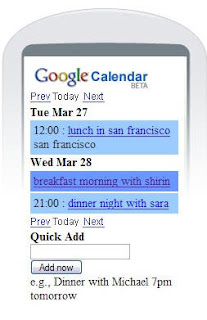
Google Calendar now supports a mobile phone web interface!

Just point your calendar to calendar.google.com and you'll see your agenda as well as the ability to add new events quickly and easily.

This is an excellent companion to the GMail app, and solves my 'which is my primary calendar' dilemma. Plus if you set up your calendar to send reminders via SMS alerts to your mobile you'll have a fully mobile calendar that's always in synch with your Google Calendar.

Who's Watching You?

Earlier in the week British police announced the trial of a new CCTV heli-drone that would patrol over the heads of the residents of Merseyside. This is in addition to the existing fixed CCTV cameras that flood Britain, at a rate of 1 for every 14 people. As recently as last week the British government announced plans to add microphones and speakers to existing CCTV cameras.

At the same time more than 3 million people have their DNA stored in a national DNA database. Early this month is was revealed that almost half a million of them are children, and almost 100,000 are under 16. About a third of all samples belong to people with no criminal record. Should their DNA ever be found at a crime scene they will be expected to explain why.

Also yesterday, Google CEO Eric Schmidt spoke to some journalists in London. He describes the future goal of Google -- that the algorithms be smart enough, and their databases thorough enough, that should I ask Google 'What job should I go for?' or 'What should I do tomorrow' it will be able to give me a sensible, personalised answer based on its knowledge of what jobs or events are out there, and which ones I'm likely to enjoy. This system does not yet exist.

Google's database is, like all things Google, entirely opt-in. I can choose if I wish Google to remember my Search History, or if I want to search entirely anonymously. The British governments DNA database and CCTV network is *not* voluntary. The CCTV networks and DNA databases do exist.

Today The Independent, ever mindful of my privacy rights, and rightfully concerned with the spectre of a 'Big Brother' society, ran an article on their front page with the headline, "Google is Watching YOU". Apparently the Forth Estate sees this opt-in system, that may exist some time in the future, written by non-government corporation, as a bigger Orwellian threat to my privacy than the existing, non-voluntary, government run programs whose powers are being constantly expanded.

I can search the web, using Google, and choose not to have my searches remembered. The same option does not exist for 'walking around in London' without being photographed 1,000 times. I suppose I could keep my head covered at all times by wearing a 'hoodie', but that's unlikely to end well.

So, which is more Orwellian, a nation with speaking, listening CCTV cameras every 20feet, where the government keeps my DNA on file, and which is in a never-ending war on 'terror' -- or a search engine that remembers the things I've searched for in the past to generate suggestions for the future?

Any company that compiles a database of my personal behaviour deserves scrutiny. Google is no exception, and I'm glad to hear the European data protection watchdogs are asking Google questions about its data retention policies. But a front page scare article on a major UK broadsheet? I can't help but think they're looking the wrong direction...

Tuesday, May 22, 2007

GoogleTalk VOIP to Phone Coming Soon?

A new Google Apps Training presentation includes this intriguing screen shot of the Google Talk application that strongly suggests that calls to regular phones and / or SIP support might soon be available in the Windows client.


Google Talk has supported gTalk-to-gTalk VOIP calls for a while, but not calls outside the Google Talk network. The new interface suggests you'll be able to type a number in to the client, or use a 'dialpad' to get a more familiar phone pad interface.

Obviously these new features are still in internal testing, but the use of this screen grab in a Google presentation suggests it might not be too far away.

If Google do start offering calls to the standard phone network or SIP clients via Google Talk the big question will be if they offer it as a paid, free, or audio add-supported service.

Thursday, May 17, 2007

Picasaweb Slideshows

Picasaweb have just added a new feature that lets you create Flash slideshows for your web albums. You can embed them in webpages, blogs, MySpace, etc.

Here's what it looks like:


It looks like the same technology that the 'View Presentation' option for Powerpoint slides in GMail is based on, which is more than likely the same technology that Presently (the Google Powerpoint) will be using.

Here's the anouncement from Google.

Update: In related news the Google AJAX Search API blog has also announced a fancy new tool that lets you add a similar slideshow based on any media RSS feed. So now you can embed slideshows for PhotoBucket, Flickr, or any other RSS photo feed right in your blog or site. Nice!

Monday, May 14, 2007

The Absolute Cricket Calendar

If the train-wreck that was the 2007 Cricket World Cup hasn't terminally deadened your enthusiasm for the clash of leather on willow, you're probably ready for a return to some real cricket.

And because too much cricket is barely enough, prepare to thrill at
The Cricketing Yak's Ultimate Cricket Calendar. A Google Calendar with every game above junior level for at least the next 4 weeks -- domestic and international -- from all over the cricketing world. If that's more than you can handle, there's the International Cricket Calendar with just the matches involving international sides.


Both calendars are conveniently available on the newly redesigned Cricketing Yak, or you can add them straight to your own Google Calendar [Absolute Cricket or Internationals Only].

Of course with all this cricket being played around the world, you'll need to be reminded of where it's happening, so check out the Live Cricket Map while you're at it, or add it to your iGoogle homepage.

Tuesday, May 01, 2007

iGoogle

If you've stopped by the Google Personalised Homepage today, you've probably noticed it's been rebranded and is now called 'iGoogle' (which is what the '/ig' stood for).


Philipp's Blogoscoped has the skinny, and you can read the official Google blog post here.

The take-aways are:
  • You can create simple, "no programming required", homepage gadgets using their gadget wizard.
  • Localised support for multiple languages and locales (22 around the world in fact) -- so http://www.google.co.uk/ig will give you your iGoogle on the UK Google domain.
  • iGoogle has been Google's biggest growing service.

Thursday, April 26, 2007

Check Guest and Resource Availability in Google Calendar

The Google Apps Calendar was intermittently offline for maintenance yesterday. The result? They've rolled out a feature that lets you 'find a time' that's available for all attendees when scheduling events.


Clicking 'Check guest and resource availability' brings up a 'find a time' dialog which indicates which times are free / usy in the calendars of each attendee. It's essentially the same functionality that you get when you choose the 'Scheduling' tab in Outlook.

I've only seen this in the Google Apps calendar so far, and it's a welcome addition.
UPDATE: Tony Ruscoe points out that he saw this feature months ago when Google Apps Premier was released. So it's more of a case of rolling a feature out to more users rather than a new feature. Add a comment if you're seeing this feature and if it's new for you.

Wednesday, April 18, 2007

2007 English Domestic Cricket on Google

The World Cup is (finally) heading in to its final stages and after yesterday's performance, England aren't going to be part of the proceedings.

Luckily the County Championship kicks off today and I've updated my English domestic cricket calendars with the full fixtures for 2007.
For a different view of who's playing where the World Cricket Map Google homepage widget is updated daily and shows cricket being played around the world, with each match pinpointed on a map. Zoom out to see England, then zoom in to see satellite footage of each venue.

As usual CricInfo's Australian Irish English commentary team will be covering all the matches for your reading pleasure.